
Showcase Pix turns your iPhone, iPad or Apple TV into a digital photo frame for travel memories, family portraits and everyday moments. Bring together photos from your library and your own servers, choose how they play, and give a spare device a new job on your desk, bedside table or shelf, or put your photos on the biggest screen in the house.

Display styles
Slideshow
Cube, Reveal, Carousel and Flip transitions, with your choice of interval and image fitting.
Duo Fold
A slideshow effect that turns each photo like a folding page, with perspective and gradient blur.
Fade
Gentle cross-fades from one photo to the next.
Picture Wall
Many photos at once in a grid. Set the rows, columns and frames.
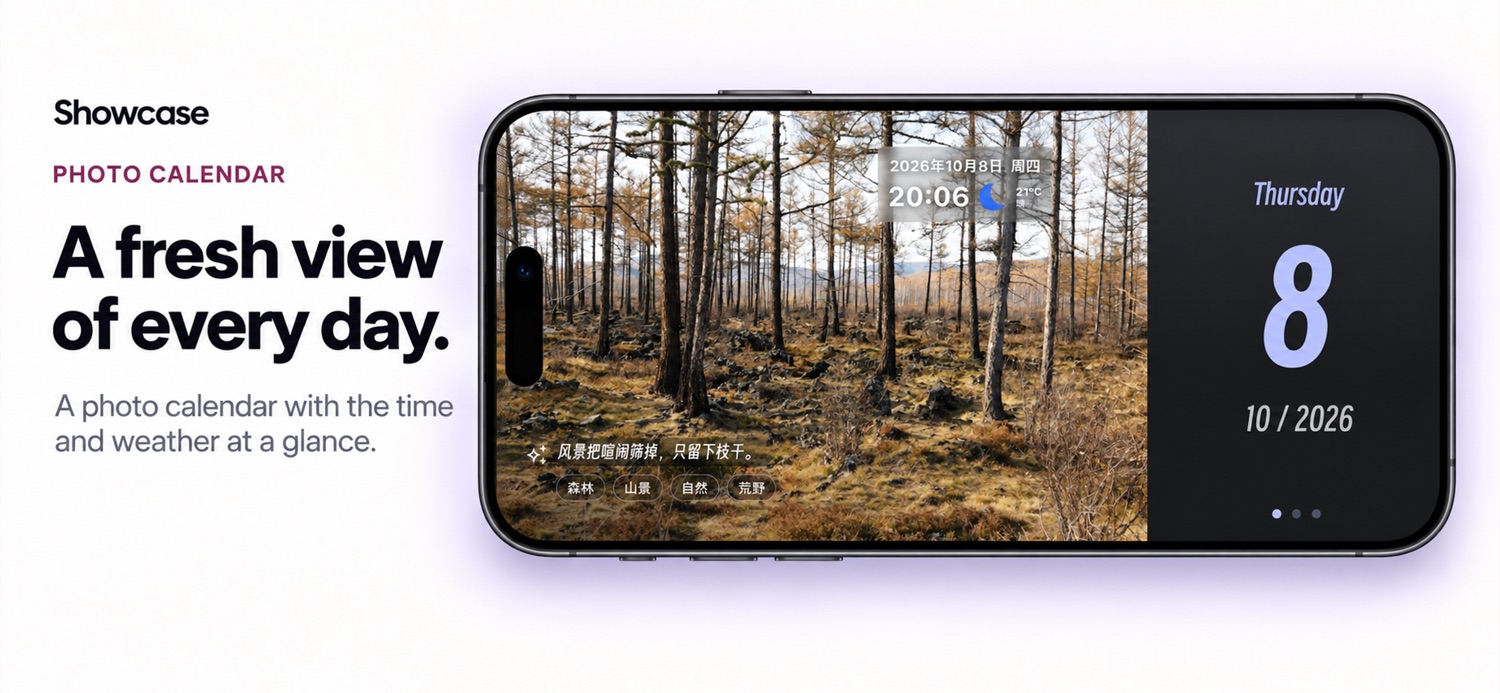
Calendar
Your photos beside a calendar, with optional automatic playback.
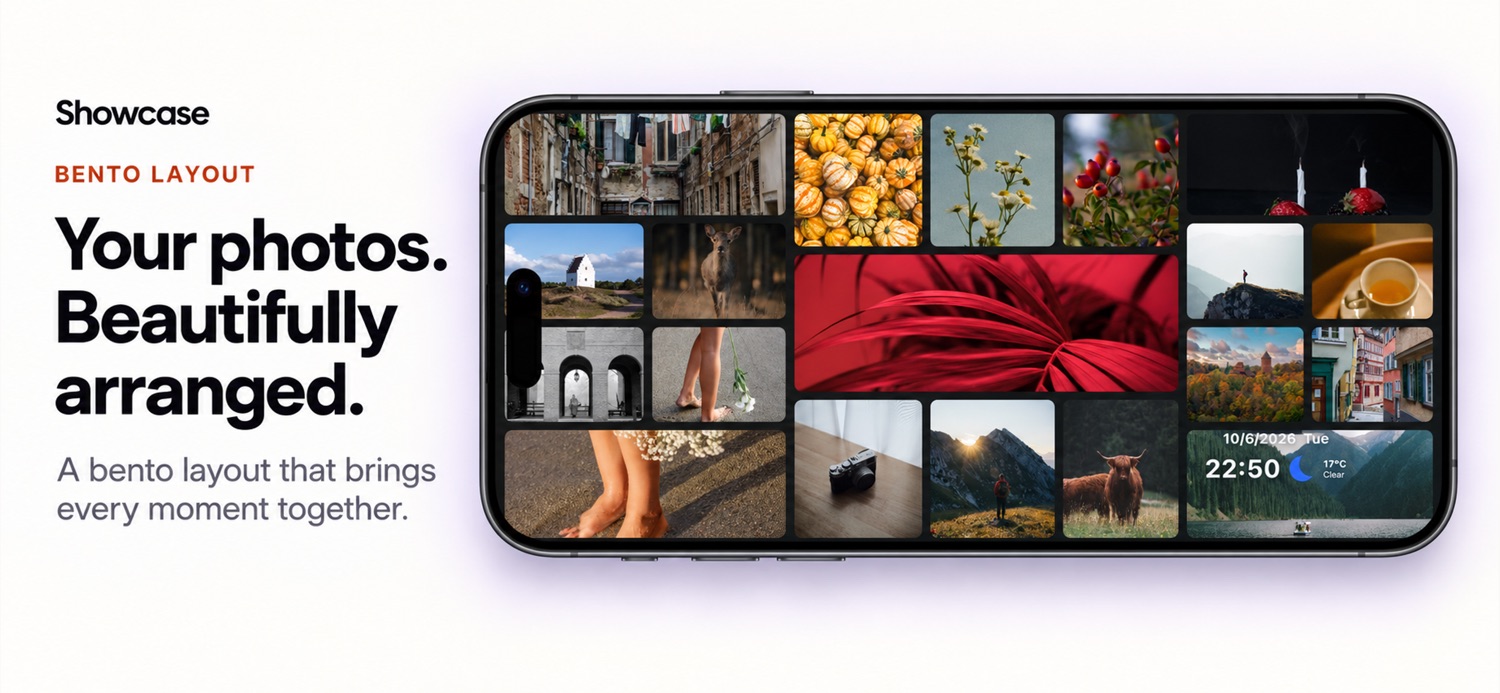
Bento
A collage of photos in tiles of different sizes.
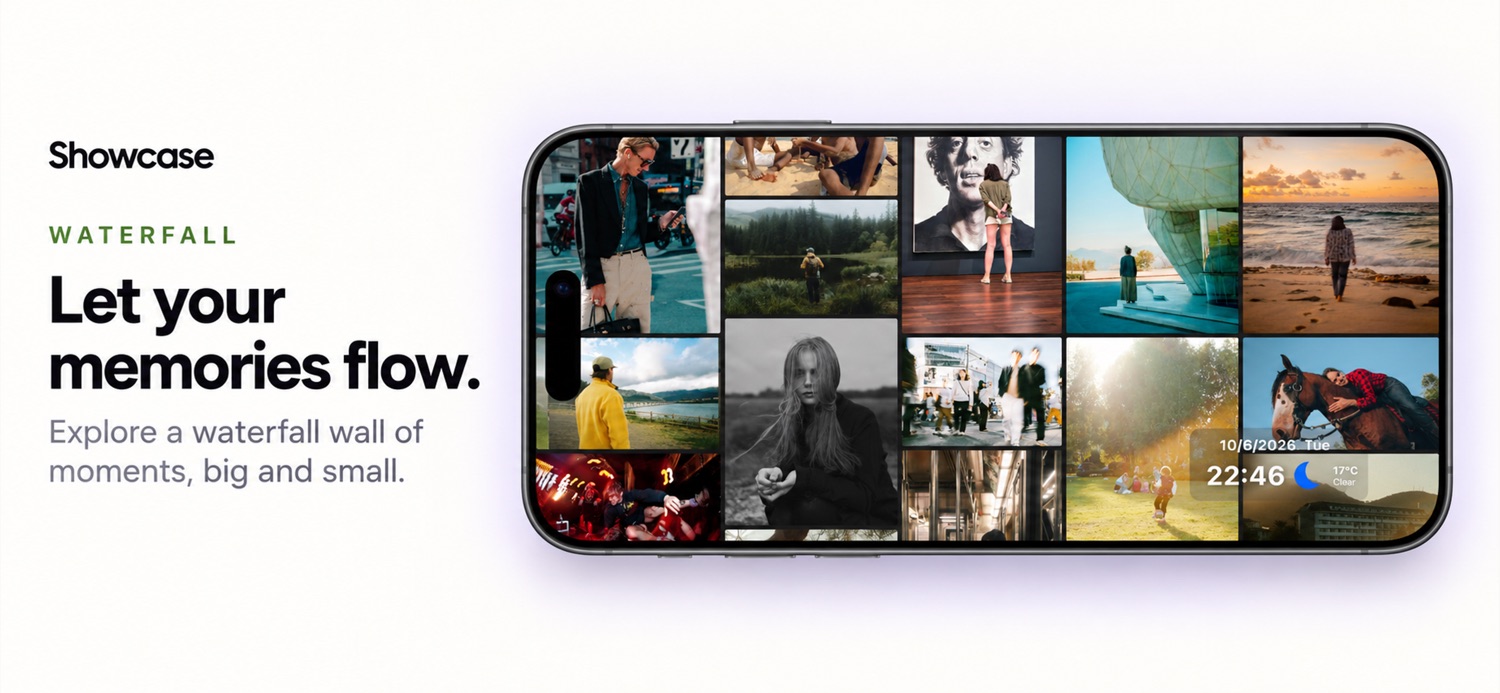
Waterfall
A staggered layout that scrolls vertically or horizontally. Adjust columns or rows, speed and spacing.
Focus Photo Wall
Moves across a wall of photos and enlarges the one in focus. Adjust timing, size, emphasis and spacing.
Your photos, from more places
Photo library
Pick photos on iPhone or iPad. Only the photos you choose are shown.
SMB and WebDAV
Play photos straight from a NAS or file server on your home network.
S3-compatible storage
Connect a bucket on any S3-compatible storage service you use.
Immich and MT Photos
Show the albums you already keep on your self-hosted photo server.
RSS feeds
Turn the images in a feed you follow into a slideshow.
GitHub and Gitee
Display image folders from repositories you choose.
Sort photos the way you like, include subfolders, and refresh sources automatically so new photos appear on their own. Network sources connect directly from your device to your servers.
Time, date and weather
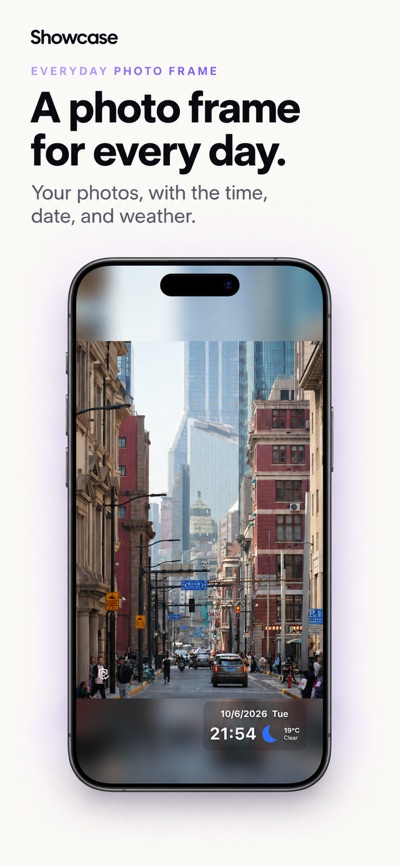
Turn on Show time and date to see the clock, date, weekday, current temperature and weather conditions while your photos play. Weather icons and animated backgrounds follow the conditions outside and refresh automatically. Weather uses only your approximate location, and the clock and date stay visible even when weather is unavailable.
Every photo has more to tell
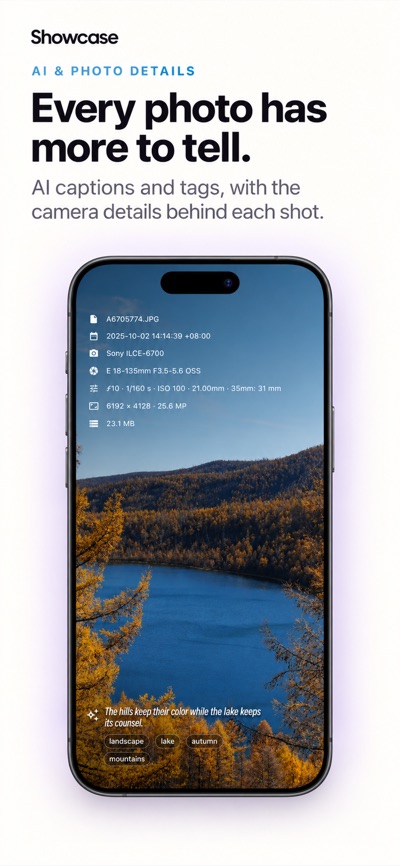
In Slideshow, Fade and Calendar, tap a photo to see the details it carries: capture time, camera and lens, aperture, shutter speed, ISO, focal length, image size, file size, and where it was taken when the photo includes a location. The overlay hides again after a moment.
Connect your own AI image service to add a description, a short caption and tags to each photo, written in the app’s language. Summaries are saved for next time, and a double-tap creates a new one. Before any photo is sent, the app asks for your consent and shows the service’s domain. By default, photos with faces are detected on your device and are not uploaded.
Made for the frame on your shelf
Full screen
Playback fills the screen, and the screen stays on while your photos play.
Any orientation
Portrait or landscape on iPhone, and every orientation on iPad.
Color themes
Several color themes, in light or dark appearance.
iCloud sync
Keep your photo sources in step across your Apple devices.
On Apple TV
Showcase Pix also runs on Apple TV, so your photos can fill the TV in the living room. Navigate with the Siri Remote, and the screen stays on while photos play. Apple TV has no photo library, so it plays photos from your network sources, such as a NAS, WebDAV, S3-compatible storage, Immich or MT Photos. Set up sources on your iPhone or iPad and turn on iCloud Sync to use them on Apple TV without typing server details with the remote. Apple TV cannot check photos for faces, so with face privacy on, which is the default, AI image summaries send no photos from Apple TV.
Privacy by design
- No account required.
- Your photos stay on your device or go directly to the servers you configure.
- On first launch, the app asks whether you want to share usage and crash data. Nothing is collected before you allow it.
- AI image summaries are optional and are never sent without your consent.
- Weather uses only approximate location, rounded to about 1 km.
Requirements
- iPhone or iPad with iOS or iPadOS 15.0 or later, or Apple TV with tvOS 16.0 or later.
- Weather requires an internet connection and location access.
- AI image summaries require your own compatible AI service and API key.
Learn more
Apple, the Apple logo, Apple TV, iCloud, iPad, iPhone, Siri and App Store are trademarks of Apple Inc., registered in the U.S. and other countries and regions.